Six screens. One job: help the right student, this week.
Ascora keeps each page focused on one decision, and hides detail until you ask for it.
Overview
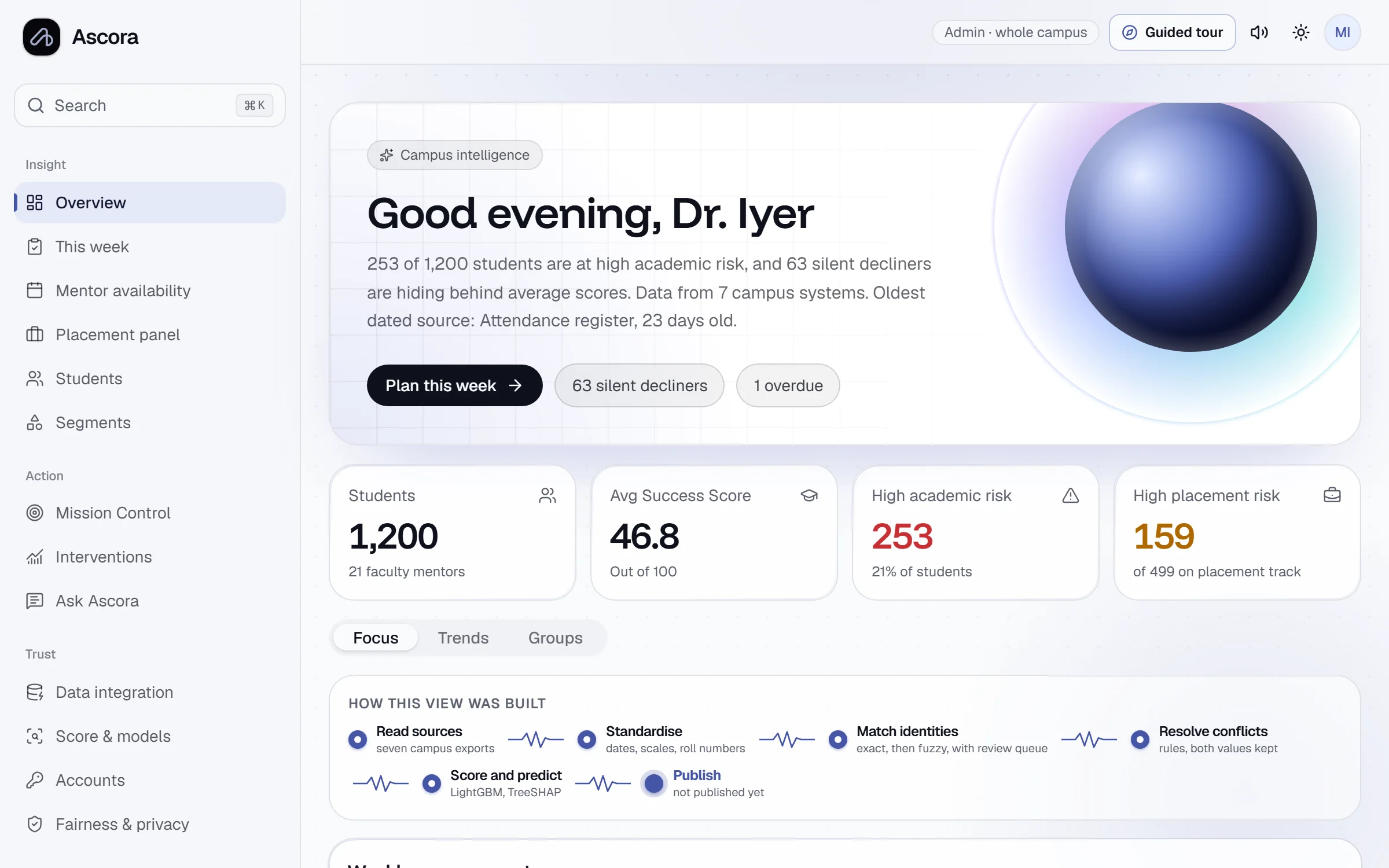
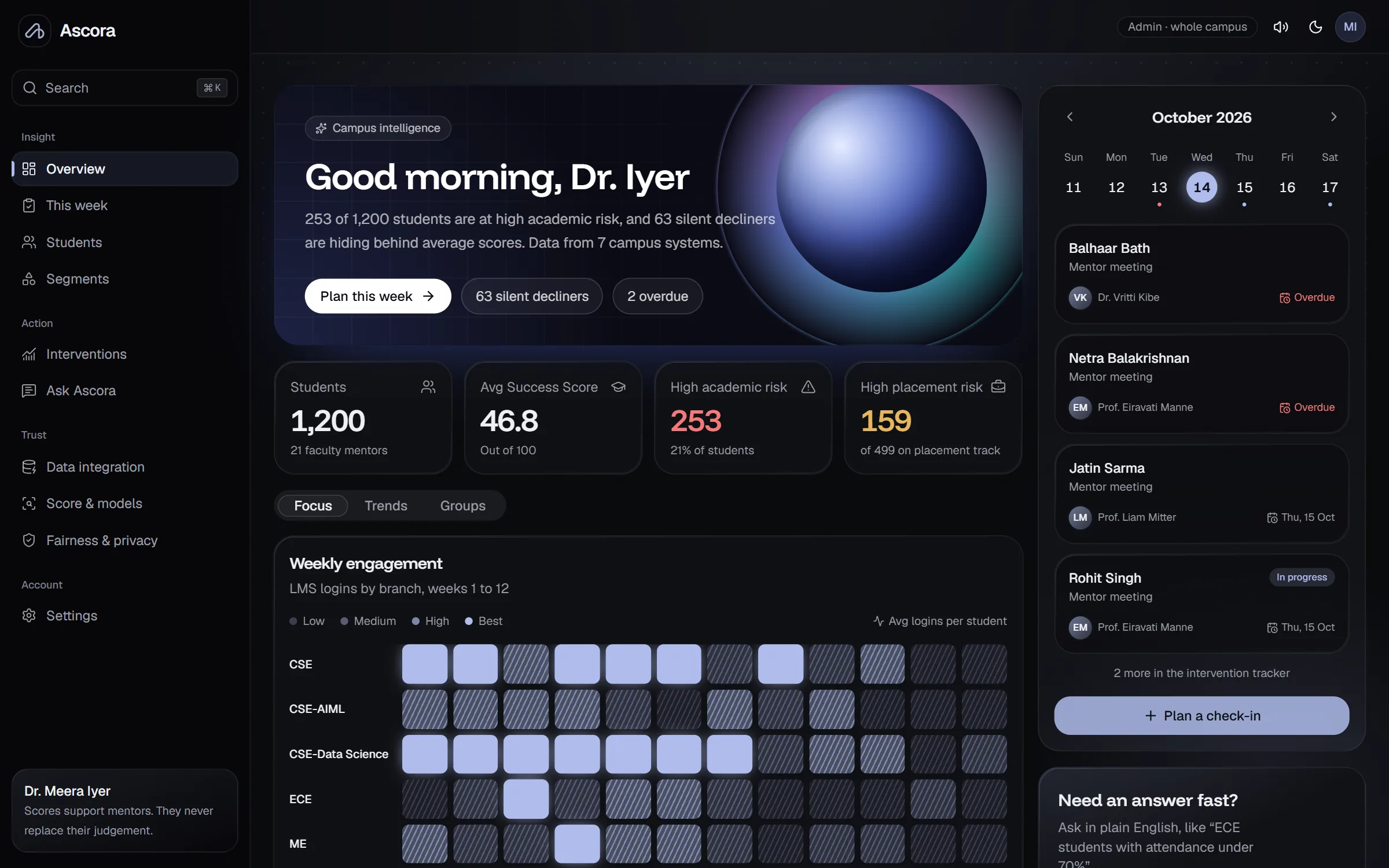
One calm view of campus health
Start with three numbers and the one insight that matters most. Everything else is a click away, not crammed onto the first screen.
- Success Score distribution and risk counts
- Plain-language insights, ranked by impact
- Upcoming check-ins and follow-ups
Student 360
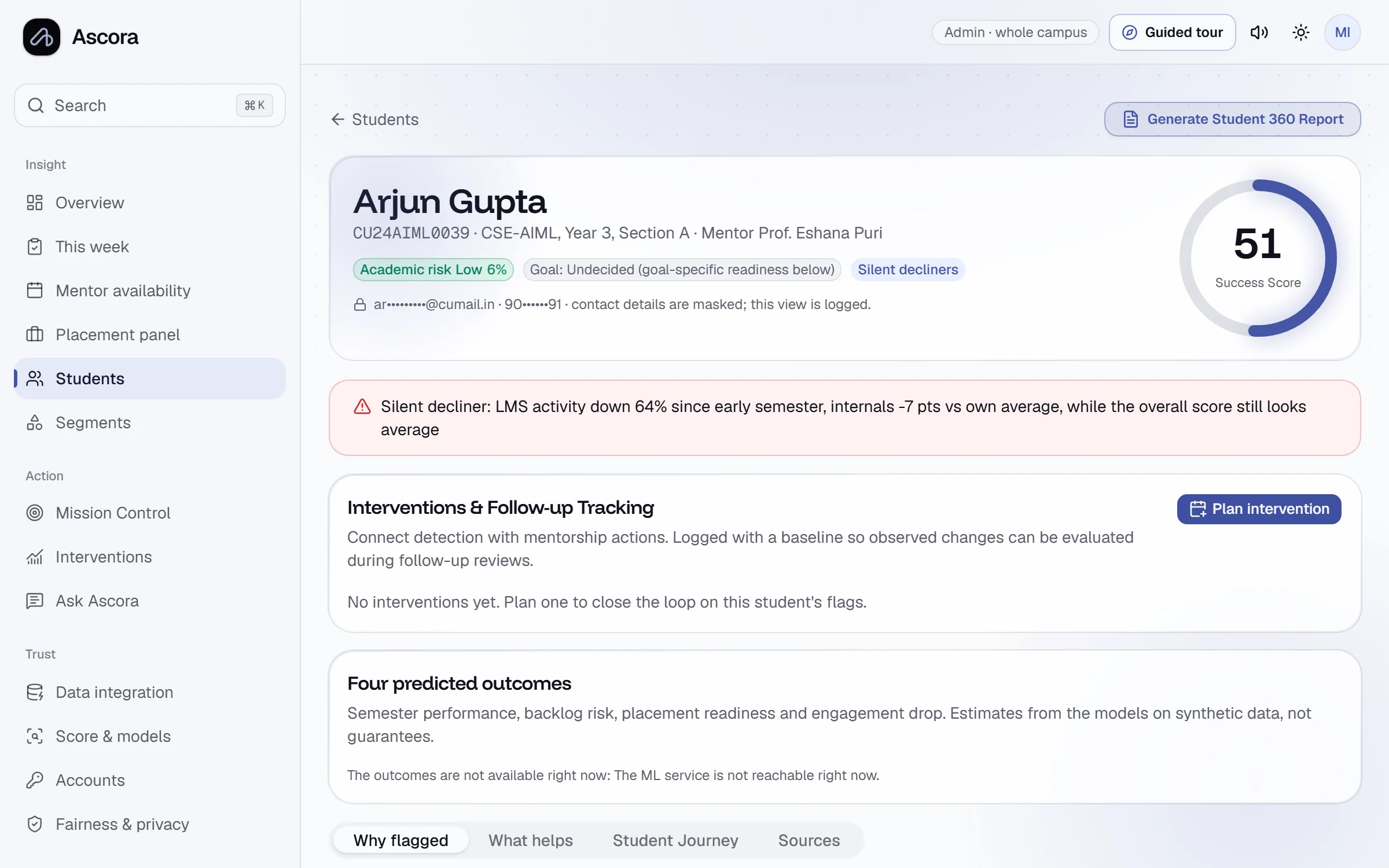
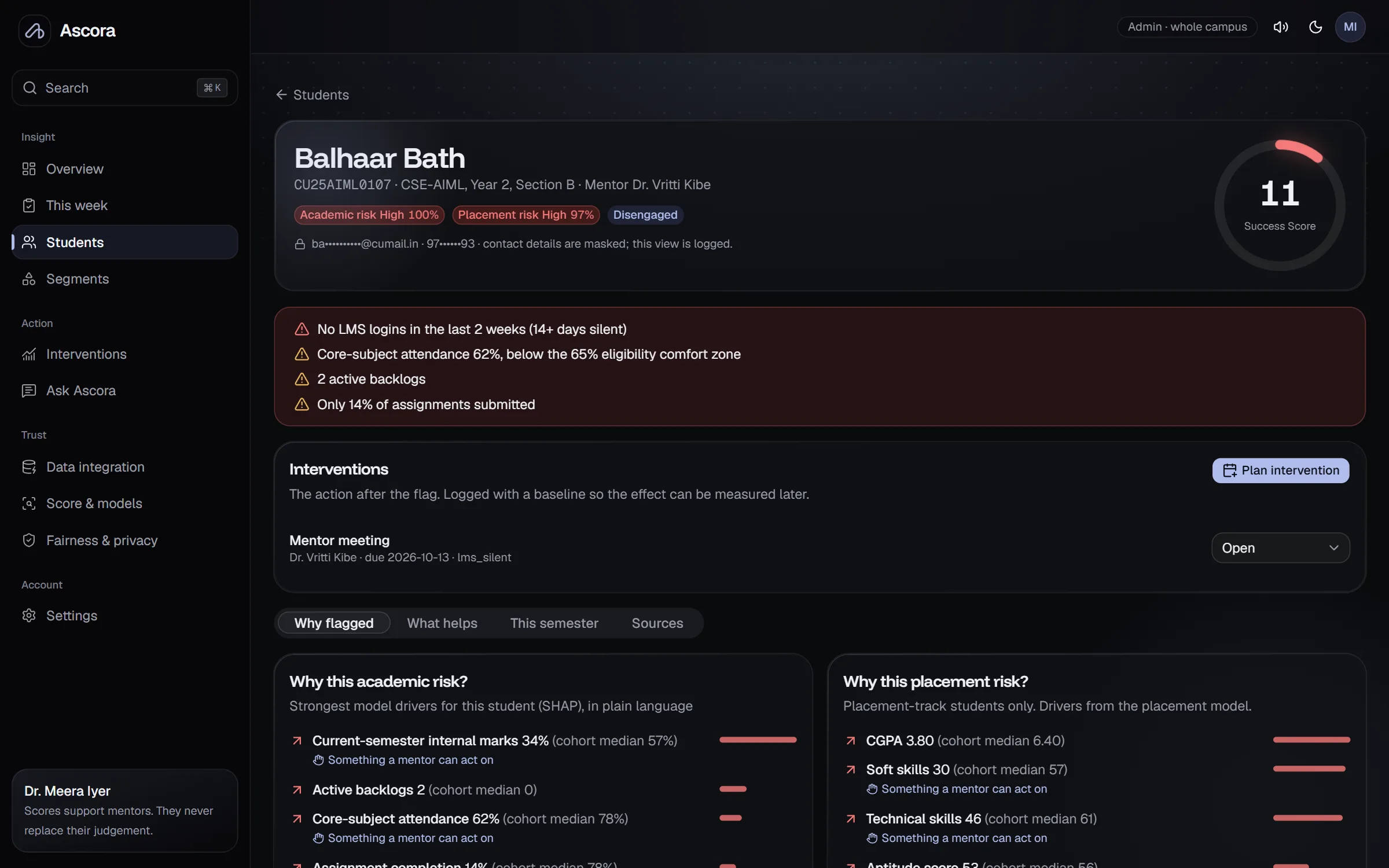
Every reason behind a flag, in plain words
Each student's score is broken into its parts and compared with the cohort. Drivers a mentor can change are marked, with the smallest changes that would help.
- Score ring with five components
- Model drivers explained, not just ranked
- What-if sliders that re-score live
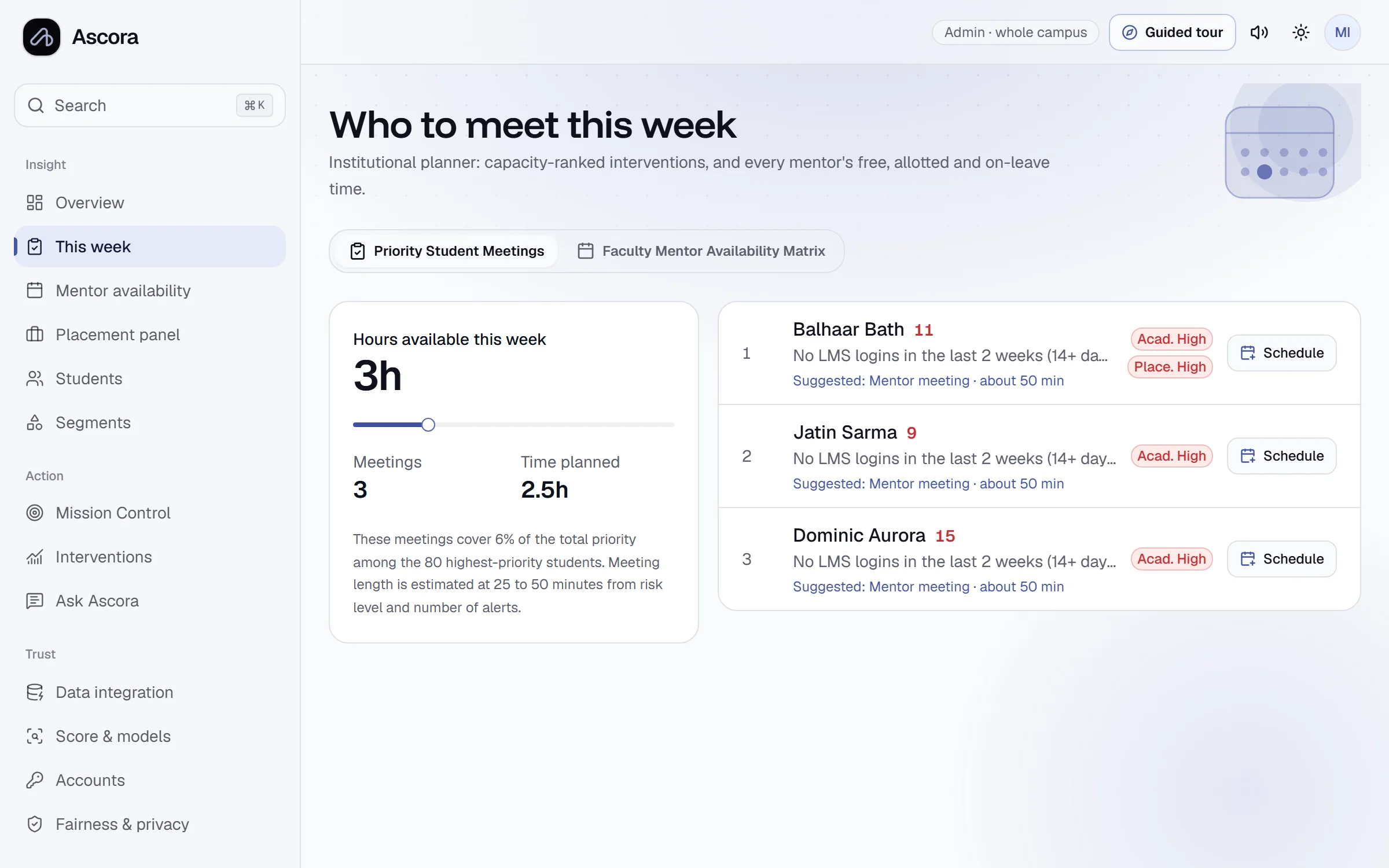
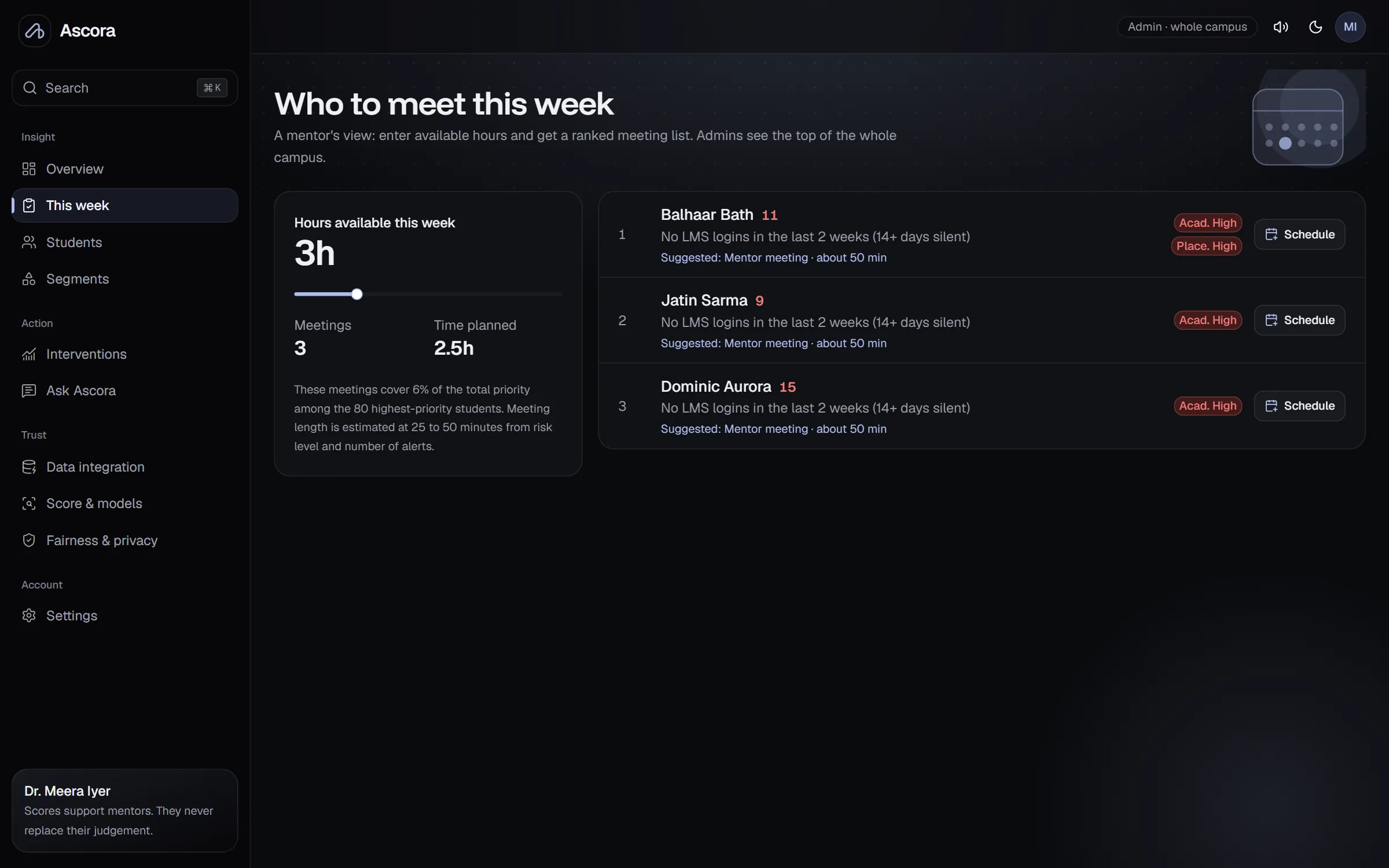
This week
A plan that fits a mentor's real hours
Mentors enter how much time they have. Ascora ranks who to meet for the most expected benefit and suggests the right kind of support.
- Time-boxed meeting list
- Intervention pre-suggested from the top driver
- Logged with a baseline to measure later
Segments
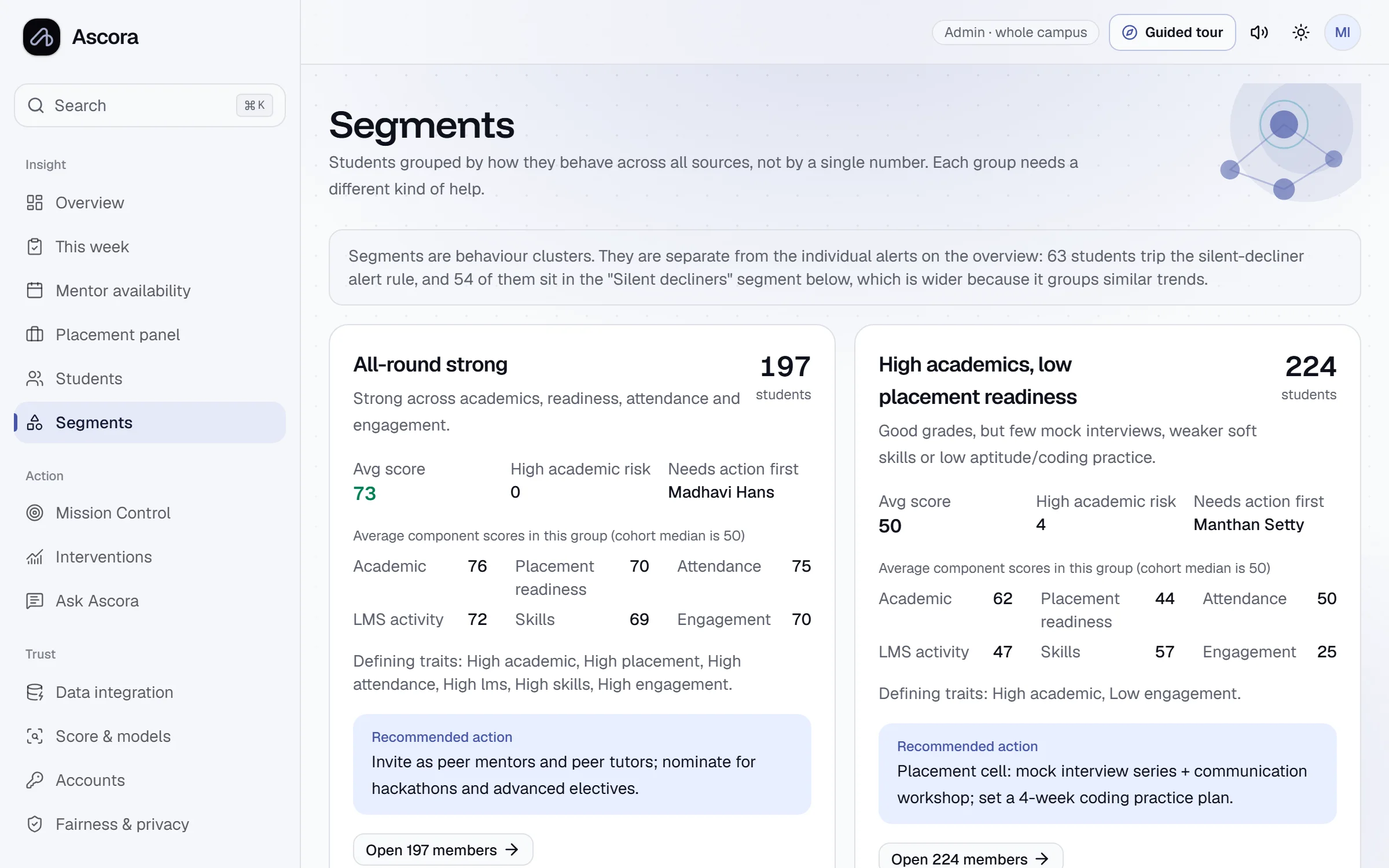
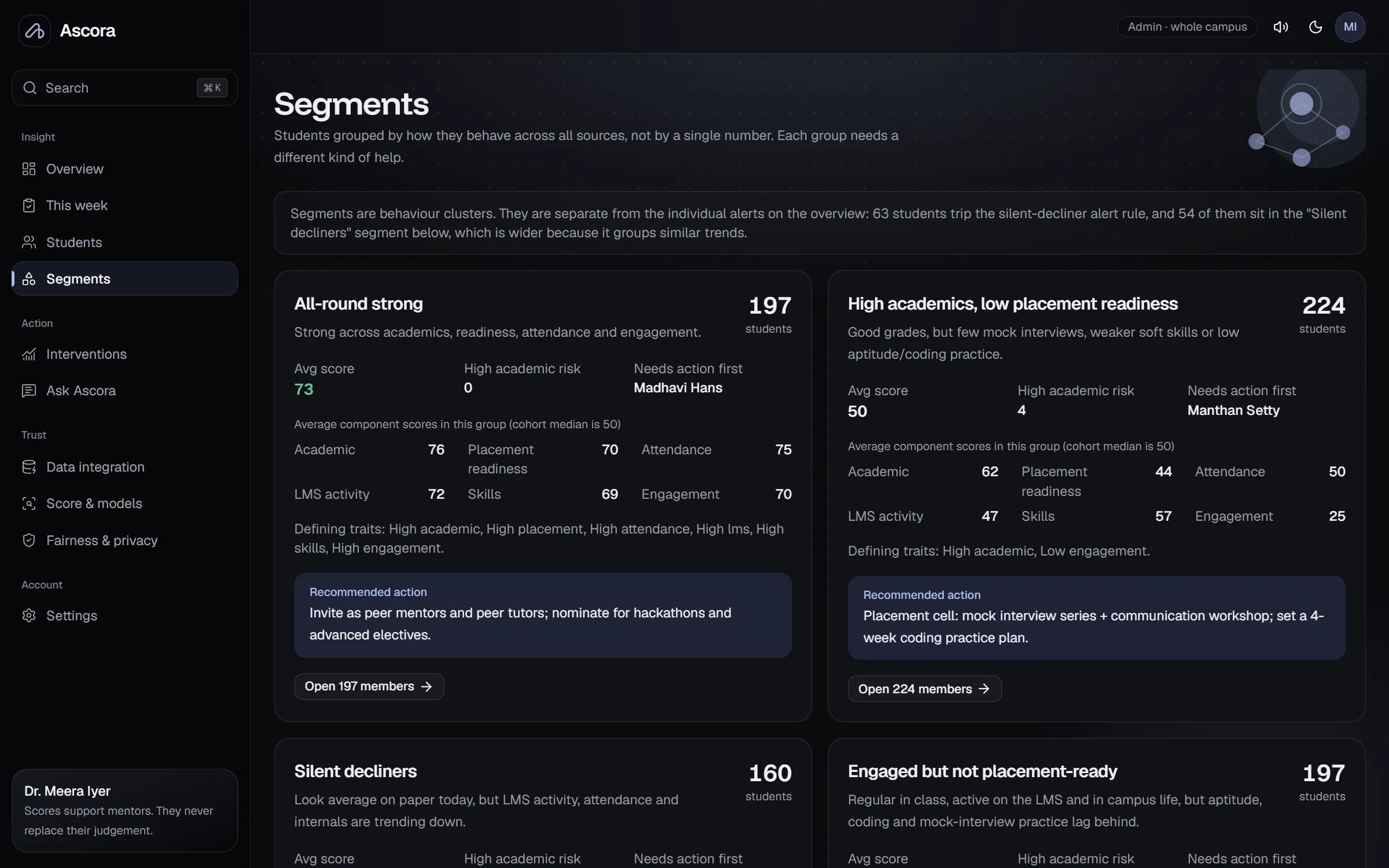
Groups that need the same kind of help
Students are clustered by pattern, not by a single score, so a department can run one programme for many students instead of many one-off talks.
- Named segments with their defining traits
- Recommended action per segment
- Open members in one click
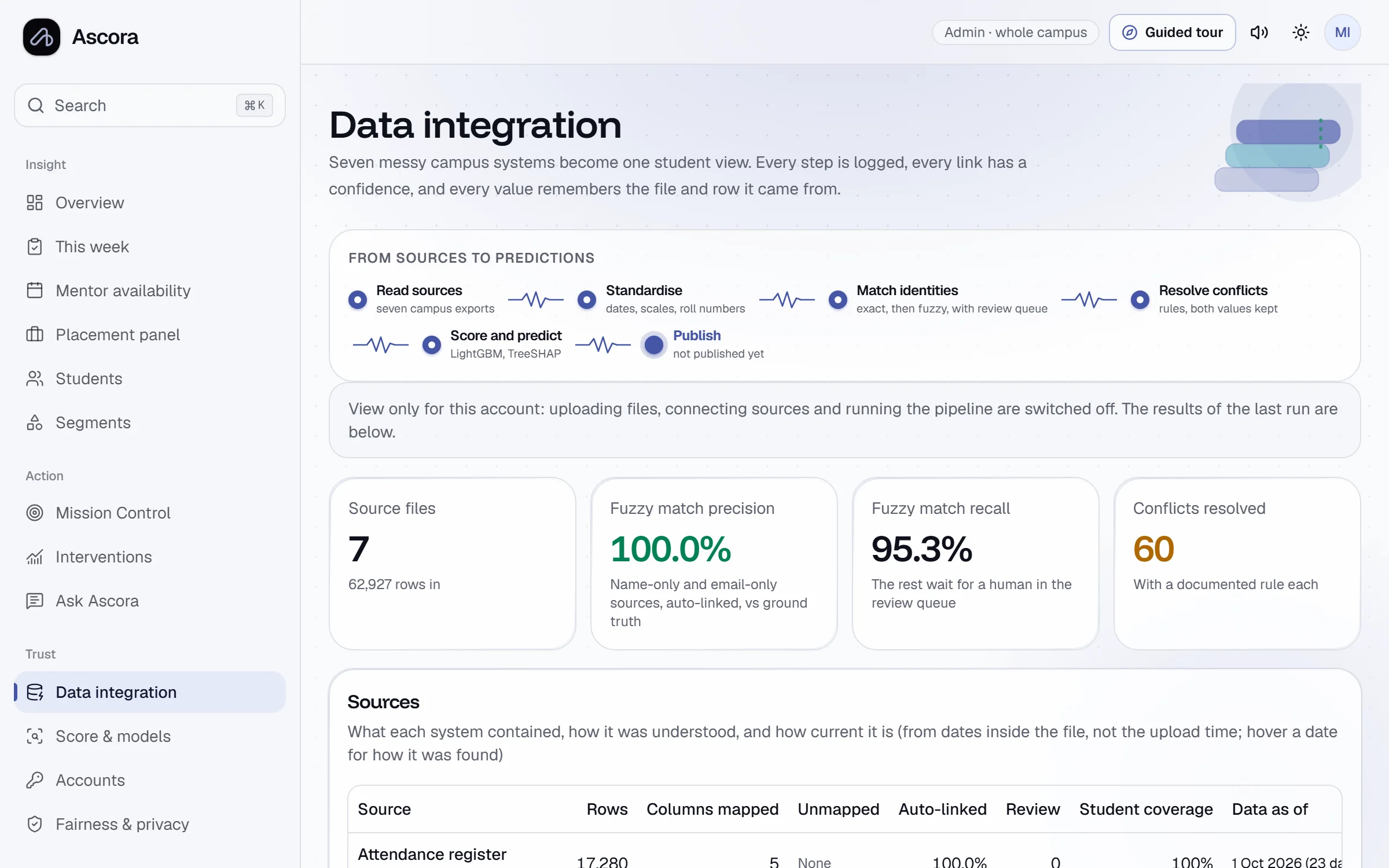
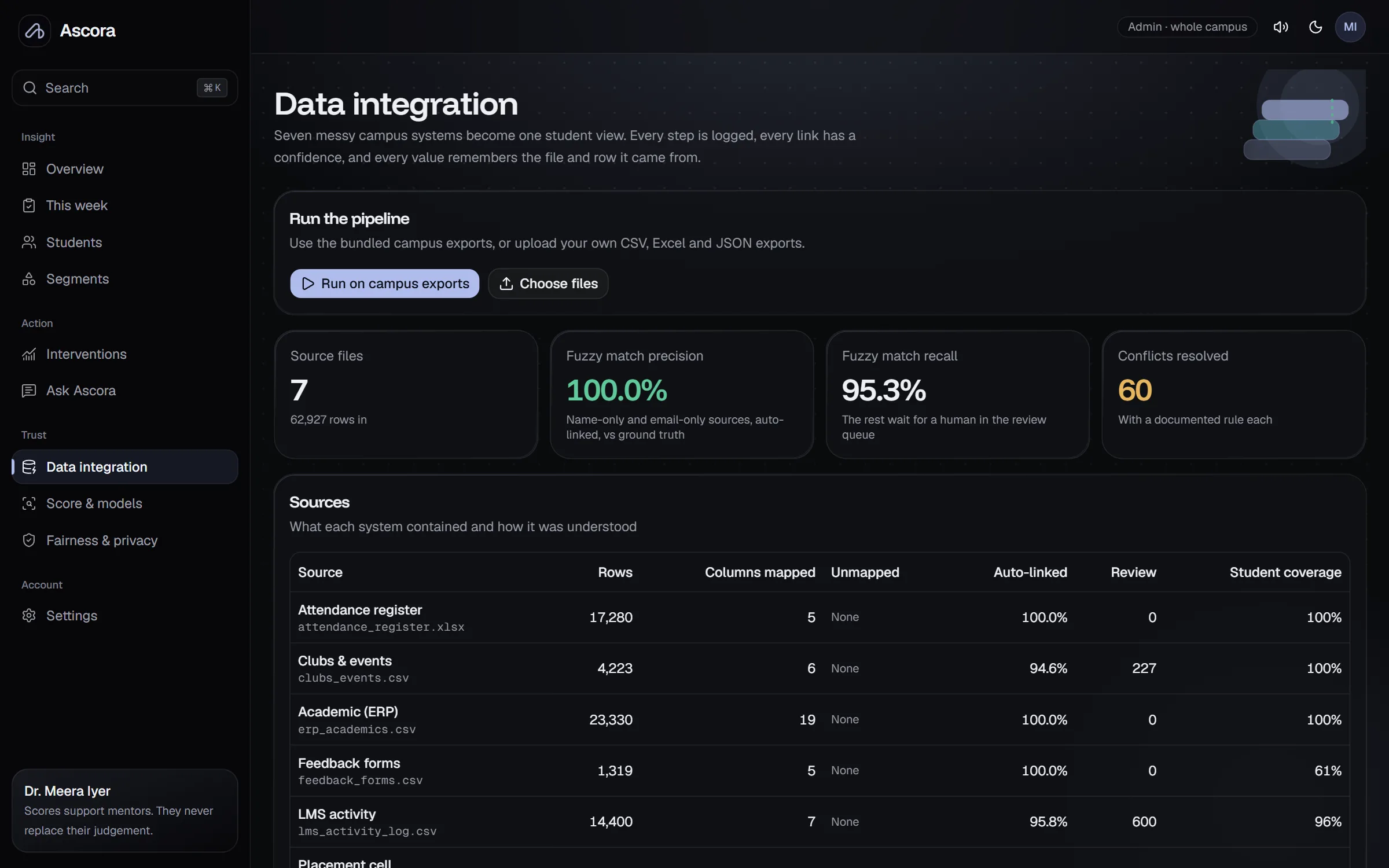
Data integration
Seven messy exports, one trustworthy record
Roll numbers in five formats, typos in names, duplicate rows and conflicting values are resolved by rule, and anything ambiguous waits for a person.
- Header auto-mapping for CSV, Excel and JSON
- Fuzzy matching with precision and recall reported
- Review queue for uncertain links
Score and models
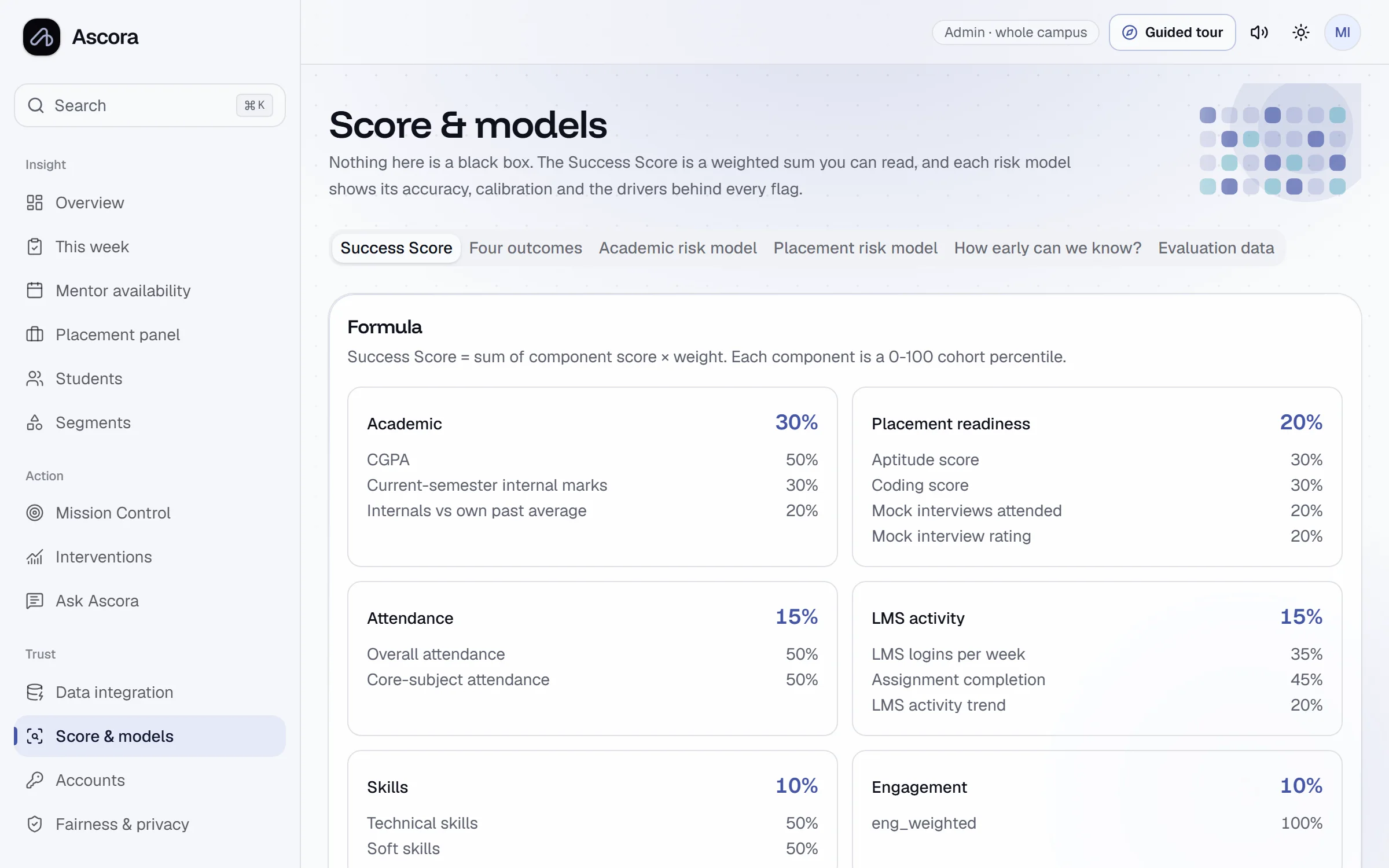
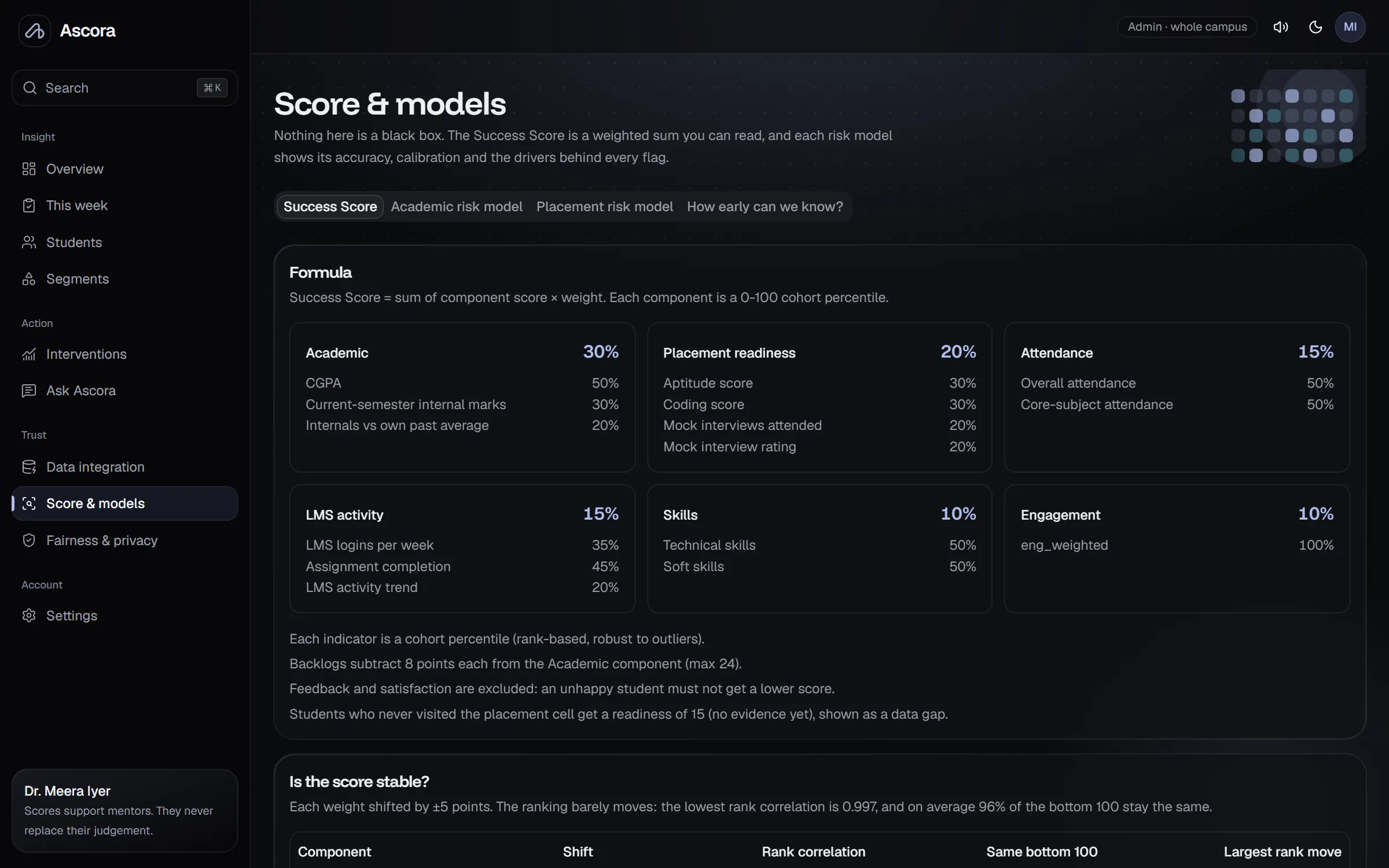
Open formula, audited models
The Success Score formula and weights are published inside the product. Model accuracy, calibration, stability and fairness are on their own pages.
- Weights and stability under perturbation
- AUC, calibration and early-warning curve
- Fairness checks, including the ones that need review
Roles
The right view for each person
Access is enforced by the database itself, not just hidden in the interface.
| Capability | Head of department | Faculty mentor |
|---|---|---|
| Whole-campus overview and segments | - | |
| Assigned students only | - | |
| Student 360 and what-if | ||
| Weekly meeting planner | ||
| Plan and log interventions | ||
| Run the data pipeline | - | |
| Fairness audit | - | |
| Ask Ascora in plain English |
From early warning to real intervention
Sign in as a head of department or a faculty mentor and walk a full cohort of 1,200 students.